Summary
During an assessment of a web-based platform (hereinafter referred to as [REDACTED]), I identified a critical vulnerability in the file upload mechanism exposed through the External Files feature within the project dashboard. This feature is designed to allow authenticated users to import supplementary documentation, such as .txt and .md files, to enrich project requirements.
The user interface explicitly enforces the following constraints:
Allowed: .txt, .md files only · Max 5 files · Max 10KB per file
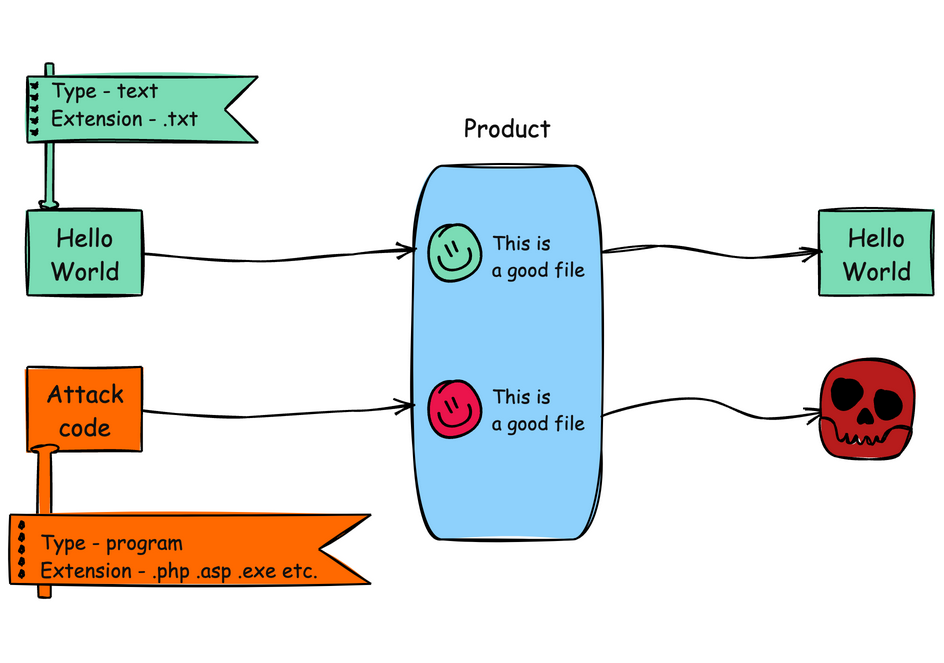
However, these restrictions exist solely on the client side. The backend performs no validation whatsoever on the file extension, MIME type, or content body. By intercepting the upload request and manipulating the relevant fields, an attacker can submit arbitrary file types, including formats capable of executing code on the client’s machine upon download and execution. This class of vulnerability is formally catalogued as CWE-434: Unrestricted Upload of File with Dangerous Type.
To demonstrate the severity of this flaw, I crafted and uploaded a .hta file containing an ActiveX-based payload. When downloaded and opened on a Windows system, the file was processed by mshta.exe, launching calc.exe as a benign proof of execution. Additional executable formats, including .html and .exe, were also tested and accepted without restriction.
Technical Analysis
Upload mechanism and client-side-only validation gap
The External Files section resides within the project dashboard and serves as a repository for supplementary project documentation. File uploads are dispatched via a POST request to the following endpoint:
1/api/app/uiengine/odata/[REDACTED]/modules/projectDashboard/pages/components/InputsTab/ExternalTools/$batch
The request body is a JSON structure containing file metadata and content:
1{2 "requests": [3 {4 "method": "POST",5 "body": {6 "projectId": [REDACTED],7 "fileName": "sample.txt",8 "fileType": "text/plain",9 "uploadData": {10 "content": "Lorem Ipsum.",11 "uploadDate": "2025-07-15T22:58:51.555Z"12 }13 },14 "id": "86",15 "atomicityGroup": "86",16 "url": "[REDACTED]"17 }18 ]19}
Three fields govern the upload behavior:
fileName: determines the displayed name and file extension.fileType: declares the MIME type.uploadData.content: carries the full file content as a string.
None of these fields undergo server-side sanitization or validation. The backend accepts whatever the client provides, persists the file, and surfaces it in the UI as a downloadable asset. No questions asked.

This is a textbook instance of misplaced trust in client-side controls. The restrictions visible in the UI (file type allowlist, size cap, file count limit) are enforced entirely within the browser’s JavaScript context. Any user with a web proxy, or even the browser’s built-in developer tools, can bypass these constraints trivially. Client-side validation serves a legitimate purpose as a usability layer: it provides immediate feedback and prevents accidental misuse. But it must never be the sole enforcement mechanism for security-relevant constraints. Without a corresponding server-side allowlist that independently verifies the file extension, inspects the MIME type, and ideally validates the content’s magic bytes against expected signatures, the upload endpoint is functionally unrestricted.
Exploiting the lack of server-side validation to weaponize a .hta payload
The exploitation is, frankly, trivial. By intercepting a legitimate .txt upload with a web proxy, the attacker gains full control over the JSON payload before it reaches the server. Replacing fileName with payload.hta, fileType with application/hta, and injecting executable HTA markup into uploadData.content is all it takes:
1{2 "requests": [3 {4 "method": "POST",5 "body": {6 "projectId": [REDACTED],7 "fileName": "payload.hta",8 "fileType": "application/hta",9 "uploadData": {10 "content": "<html><head><script>var shell = new ActiveXObject(\"WScript.Shell\");shell.Run(\"calc.exe\");</script></head><body></body></html>",11 "uploadDate": "2025-07-15T22:58:51.555Z"12 }13 },14 "id": "86",15 "atomicityGroup": "86",16 "url": "[REDACTED]"17 }18 ]19}
The upload succeeds. The weaponized .hta file appears in the UI alongside legitimate documents, available for download, waiting for a user to open it.

Why did I choose .hta for the PoC? Here is the rationale

I chose the .hta (HTML Application) format deliberately because of its unique execution model on Windows systems. An HTA file is structurally identical to an HTML document, but it operates under an entirely different trust model. When a user opens an .hta file, Windows delegates execution to mshta.exe (Microsoft HTML Application Host), a signed, native binary located at C:\Windows\System32\mshta.exe. Unlike a standard .html file rendered within a browser’s sandboxed environment, an HTA executes as a standalone application outside the browser’s security context. This means it is not subject to Internet Explorer zone restrictions, Protected Mode limitations, or any of the sandboxing controls that browsers impose on web-delivered scripts.
Consequently, scripts embedded in an HTA file run with the full privileges of the current user. They can instantiate COM/ActiveX objects, interact with the Windows Script Host, read and write to the file system, modify the registry, and spawn arbitrary processes. In my proof of concept, the payload leveraged this capability to instantiate a WScript.Shell ActiveX object and invoke calc.exe, a standard and benign demonstration of arbitrary command execution.
From an offensive security perspective, mshta.exe is classified as a Living off the Land Binary (LOLBin), a category of legitimate, vendor-signed system utilities that attackers routinely co-opt to proxy the execution of malicious code. Because mshta.exe is a trusted Microsoft binary that ships with every Windows installation, its execution blends seamlessly into normal system activity and is far less likely to trigger behavioral heuristics in endpoint detection products. It has its own dedicated entry in the MITRE ATT&CK framework under technique T1218.005 (System Binary Proxy Execution: Mshta), and it is actively leveraged by numerous threat actors and malware families in real-world campaigns.
Simple as that.
Impact
While client-side RCE via .hta serves as the most tangible demonstration of this vulnerability, the underlying risk is systemic. The upload mechanism imposes no server-side restrictions on what enters the platform, which means the External Files feature is, in practice, an unrestricted file distribution channel embedded within a trusted interface.
This has two immediate consequences. First, any authenticated user can leverage the feature to deliver executable or otherwise harmful content to anyone who downloads from the same project. Second, in collaborative or multi-user environments, an attacker does not need to phish, redirect, or socially engineer a target through external channels. The payload is already inside the platform, sitting in a shared workspace, served by the application itself.
Acknowledgements
I would like to thank the Hackrate team for their consistently swift and efficient triage throughout this engagement, and the client’s security team for their responsiveness in addressing the reported issue. This finding was part of a private bug bounty program on Hackrate that overall resulted in a €€€€ bounty payout.
venomnis